Groups multiple QCPBars together so they appear side by side. More...
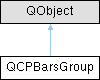
Public Types | |
| enum | SpacingType { stAbsolute , stAxisRectRatio , stPlotCoords } |
Public Member Functions | |
| QCPBarsGroup (QCustomPlot *parentPlot) | |
| SpacingType | spacingType () const |
| double | spacing () const |
| void | setSpacingType (SpacingType spacingType) |
| void | setSpacing (double spacing) |
| QList< QCPBars * > | bars () const |
| QCPBars * | bars (int index) const |
| int | size () const |
| bool | isEmpty () const |
| void | clear () |
| bool | contains (QCPBars *bars) const |
| void | append (QCPBars *bars) |
| void | insert (int i, QCPBars *bars) |
| void | remove (QCPBars *bars) |
Protected Member Functions | |
| void | registerBars (QCPBars *bars) |
| void | unregisterBars (QCPBars *bars) |
| double | keyPixelOffset (const QCPBars *bars, double keyCoord) |
| double | getPixelSpacing (const QCPBars *bars, double keyCoord) |
Protected Attributes | |
| QCustomPlot * | mParentPlot |
| SpacingType | mSpacingType |
| double | mSpacing |
| QList< QCPBars * > | mBars |
Friends | |
| class | QCPBars |
Detailed Description
Groups multiple QCPBars together so they appear side by side.

When showing multiple QCPBars in one plot which have bars at identical keys, it may be desirable to have them appearing next to each other at each key. This is what adding the respective QCPBars plottables to a QCPBarsGroup achieves. (An alternative approach is to stack them on top of each other, see QCPBars::moveAbove.)
Usage
To add a QCPBars plottable to the group, create a new group and then add the respective bars intances:
Alternatively to appending to the group like shown above, you can also set the group on the QCPBars plottable via QCPBars::setBarsGroup.
The spacing between the bars can be configured via setSpacingType and setSpacing. The bars in this group appear in the plot in the order they were appended. To insert a bars plottable at a certain index position, or to reposition a bars plottable which is already in the group, use insert.
To remove specific bars from the group, use either remove or call QCPBars::setBarsGroup(0) on the respective bars plottable.
To clear the entire group, call clear, or simply delete the group.
Example
The image above is generated with the following code:
Member Enumeration Documentation
◆ SpacingType
Defines the ways the spacing between bars in the group can be specified. Thus it defines what the number passed to setSpacing actually means.
- See also
- setSpacingType, setSpacing
Constructor & Destructor Documentation
◆ QCPBarsGroup()
|
explicit |
Constructs a new bars group for the specified QCustomPlot instance.
Member Function Documentation
◆ append()
| void QCPBarsGroup::append | ( | QCPBars * | bars | ) |
Adds the specified bars plottable to this group. Alternatively, you can also use QCPBars::setBarsGroup on the bars instance.
◆ bars() [1/2]
|
inline |
Returns all bars currently in this group.
- See also
- bars(int index)
◆ bars() [2/2]
| QCPBars * QCPBarsGroup::bars | ( | int | index | ) | const |
◆ clear()
◆ contains()
|
inline |
Returns whether the specified bars plottable is part of this group.
◆ insert()
| void QCPBarsGroup::insert | ( | int | i, |
| QCPBars * | bars ) |
◆ isEmpty()
|
inline |
Returns whether this bars group is empty.
- See also
- size
◆ remove()
| void QCPBarsGroup::remove | ( | QCPBars * | bars | ) |
◆ setSpacing()
| void QCPBarsGroup::setSpacing | ( | double | spacing | ) |
Sets the spacing between adjacent bars. What the number passed as spacing actually means, is defined by the current SpacingType, which can be set with setSpacingType.
- See also
- setSpacingType
◆ setSpacingType()
| void QCPBarsGroup::setSpacingType | ( | SpacingType | spacingType | ) |
Sets how the spacing between adjacent bars is interpreted. See SpacingType.
The actual spacing can then be specified with setSpacing.
- See also
- setSpacing
◆ size()
|
inline |
Returns the number of QCPBars plottables that are part of this group.
The documentation for this class was generated from the following files:
- qcustomplot.h
- qcustomplot.cpp